

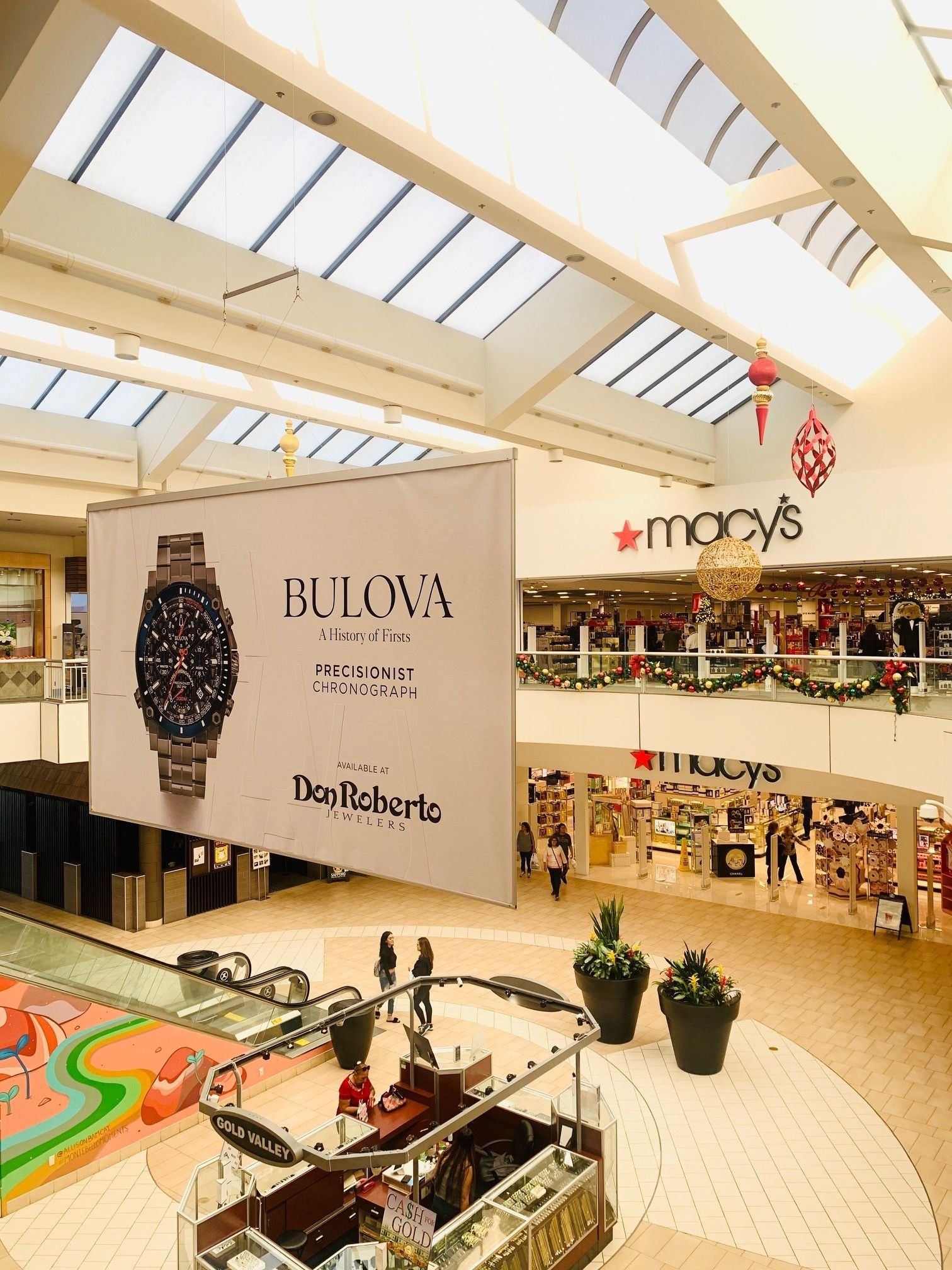
Artwork rejected at the production stage is one of the most preventable causes of a delayed campaign launch. Mall advertising formats each have their own specifications for file type, resolution, bleed, and color mode, and a design built without those specs in mind usually needs rework before it can go to print or upload.
This article covers the specification categories that matter across formats, so a design team can get it right on the first submission.
Get the exact dimensions and file format first
Every unit has a specified size, and it is rarely a standard print dimension. Kiosk panels, backlit displays, column wraps, and digital screens all have their own aspect ratios, and a file built to the wrong dimensions either gets cropped, stretched, or rejected outright.
Request the specification sheet from the media owner before design work begins, not after a layout is finished. It should include exact pixel or inch dimensions, accepted file formats, and any templates the property requires for submission.
Resolution and print quality
Large-format print, such as backlit panels or wall wraps, is viewed from a distance, which allows for lower resolution than a printed piece meant to be held close, but it still has a minimum below which pixelation becomes visible. Most print vendors specify resolution in relation to viewing distance rather than a flat number, so it is worth confirming the standard for the specific format.
Vector-based artwork, where possible, avoids resolution issues entirely for logos and text elements, and should be used over rasterized versions whenever the design software supports it.
- Confirm resolution requirements relative to viewing distance
- Use vector formats for logos and text where possible
- Avoid enlarging low-resolution source images to fit a large panel
Bleed, safe area, and cropping
Physical formats require bleed, extra artwork extending past the trim line, so that any slight misalignment in cutting or mounting does not leave a white edge. A safe area inside the trim line keeps critical text and logos away from edges that might be trimmed or obscured by hardware such as frames or mounting brackets.
Column wraps and escalator wraps have additional complexity because the artwork must account for seams, curves, or moving parts, and the media owner's template should show exactly where those fall.
Color mode and profile
Print production uses CMYK color, while digital screens use RGB, and designing in the wrong mode produces color shifts that are hard to predict on screen. Files intended for print should be built or converted to CMYK before submission, with attention to how bright colors and dark blacks reproduce differently than they appear on a monitor.
For digital screens, confirm whether the property has a specific color profile or brightness calibration, since screens vary in how they render saturated colors compared to a design workstation.
Digital file specs and playback
Digital out-of-home screens typically require video files in a specific codec, frame rate, and duration, along with static fallback images in case of playback issues. Loop length matters too, since most digital placements share screen time with other advertisers on a rotation, and content built for the wrong duration either gets cut off or padded awkwardly.
- Confirm accepted video codec, frame rate, and maximum file size
- Build content to the exact loop duration specified
- Provide a static fallback image for technical contingencies
Proofing before final production
Requesting a physical or digital proof before full production run protects against costly reprints. For large-format print in particular, a small-scale color proof rarely matches the final output exactly, so a full-size proof or a test panel is worth the extra day it takes when the format allows it.
Working with the media owner's production team
Many media owners offer in-house production and can catch spec issues before they become a printed error. Sending a draft file for a spec check ahead of the final submission deadline is a low-cost step that prevents most last-minute production problems.
Frequently asked questions
What file format is standard for print mall advertising?
High-resolution PDF with embedded fonts and CMYK color is the most common standard, though exact requirements vary by media owner.
How much bleed should I include?
This varies by format, but a common standard is a quarter inch to half inch beyond the trim line, confirmed against the specific unit's spec sheet.
Can I use the same file for print and digital versions of a campaign?
Not directly. Color mode, resolution, and dimensions differ enough that each version usually needs separate preparation.
What happens if my artwork does not meet spec?
It typically gets returned for correction, which can delay the flight start date if not caught early.
Sources
- Out of Home Advertising Association of America
- DPAA digital out of home industry resources
- IAB digital advertising standards
- ICSC shopping center industry research
- Association of National Advertisers
Related reading
Use this mall advertising artwork specs guidance as a starting point, then ask MallAds.com to confirm current locations, formats, timing, and pricing for your campaign.